If you are a full-stack developer, this error haunts your dreams:
Access to fetch at
http://localhost:8080/apifrom originhttp://localhost:3000has been blocked by CORS policy: No 'Access-Control-Allow-Origin' header is present on the requested resource.
You just want to connect your React frontend to your Spring Boot backend. Why is the browser stopping you?

What is CORS? (It's not a bug)
CORS (Cross-Origin Resource Sharing) is a security feature protecting the browser, not the server.
Without CORS, a malicious site (evil.com) could make a request to bank.com content while you are logged in. The browser blocks cross-origin requests by default unless the server explicitly says "It's okay, I trust evil.com".
The Preflight Check
Before sending a specialized request (like a POST with JSON), the browser sends a "Preflight" OPTIONS request.
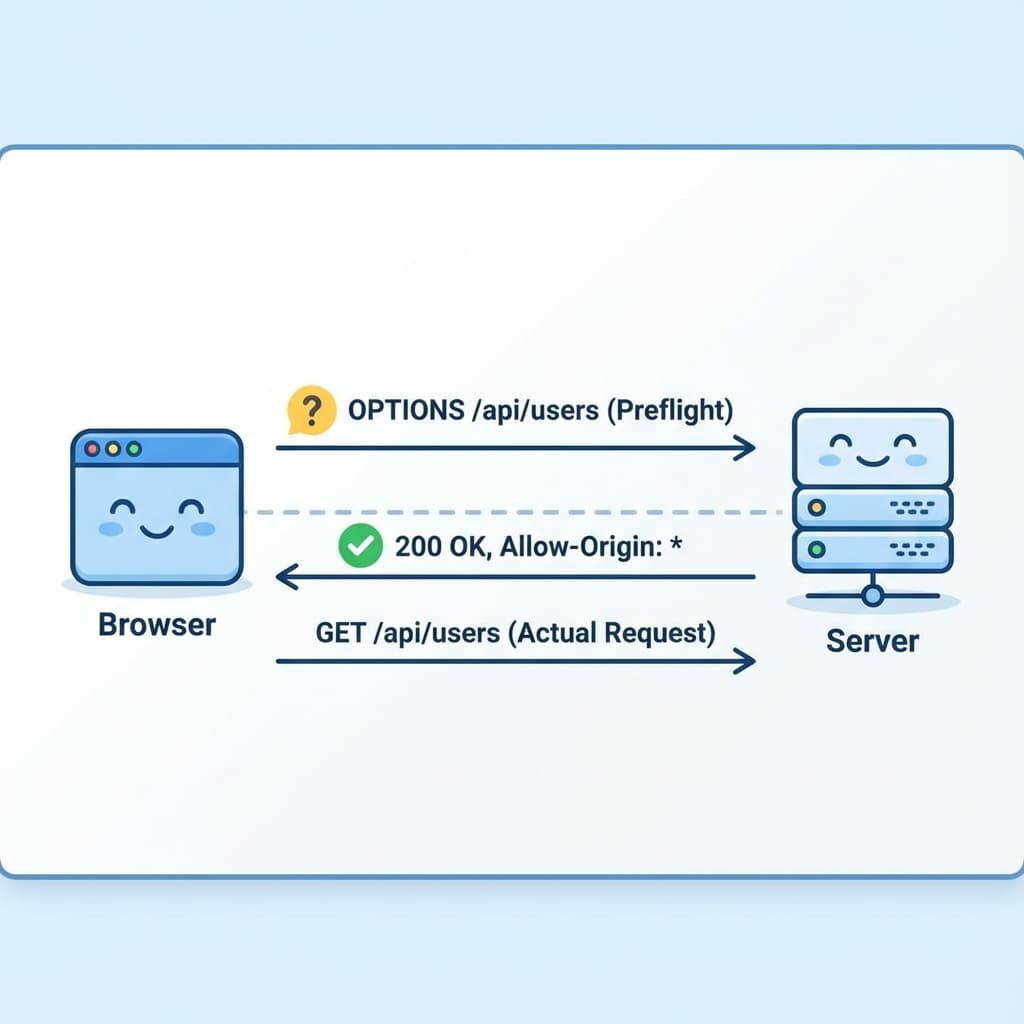
If your server doesn't reply to OPTIONS with 200 OK and the correct Access-Control-Allow-Origin headers, the browser blocks the real request.
Solution 1: Global Configuration (The Best Way)
If you want to apply rules to your entire application, implement WebMvcConfigurer. This is the cleanest approach.
@Configuration
public class CorsConfig implements WebMvcConfigurer {

    @Override
    public void addCorsMappings(CorsRegistry registry) {
        registry.addMapping("/**") // Apply to all endpoints
            .allowedOrigins("http://localhost:3000", "https://mydomain.com")
            .allowedMethods("GET", "POST", "PUT", "DELETE", "OPTIONS")
            .allowedHeaders("*")
            .allowCredentials(true)
            .maxAge(3600); // Cache the preflight response for 1 hour
    }
}Why this is good: It keeps your configuration central. You define your frontend URL in one place (perfect for pulling from application.properties).
Solution 2: @CrossOrigin (The Quick Way)
If you only need to open up a single specific endpoint, you can annotate the controller.
@RestController
@RequestMapping("/api/public")
// Allow ALL origins (Not recommended for prod)
@CrossOrigin(origins = "*")
public class PublicController {

    @GetMapping("/hello")
    public String hello() {
        return "Hello World";
    }
}Why this is bad: It clutters your business code. Code duplication. If you have 50 controllers, do you paste this 50 times?
Solution 3: Spring Security (The "Gotcha")
If you are using Spring Security, the solutions above might NOT WORK.
Why? Because Spring Security sits before Spring MVC in the filter chain. It will intercept the OPTIONS request and reject it (401 Unauthorized) before it ever reaches your WebMvcConfigurer settings.
You must configure CORS inside the SecurityFilterChain.
@Configuration
@EnableWebSecurity
public class SecurityConfig {

    @Bean
    public SecurityFilterChain filterChain(HttpSecurity http) throws Exception {
        http
            // 1. Enable CORS in Security
            .cors(Customizer.withDefaults())

            // 2. Disable CSRF (Usually needed for stateless APIs)
            .csrf(csrf -> csrf.disable())

            .authorizeHttpRequests(auth -> auth
                .anyRequest().authenticated()
            );

        return http.build();
    }

    // 3. Define the source
    @Bean
    public CorsConfigurationSource corsConfigurationSource() {
        CorsConfiguration configuration = new CorsConfiguration();
        configuration.setAllowedOrigins(List.of("http://localhost:3000"));
        configuration.setAllowedMethods(List.of("GET", "POST", "PUT", "DELETE"));
        configuration.setAllowedHeaders(List.of("*"));
        configuration.setAllowCredentials(true);

        UrlBasedCorsConfigurationSource source = new UrlBasedCorsConfigurationSource();
        source.registerCorsConfiguration("/**", configuration);
        return source;
    }
}Summary Checklist
- Just Spring Boot? Use
WebMvcConfigurer(Solution 1). - Using Spring Security? Use
cors(Customizer.withDefaults())and aCorsConfigurationSourceBean (Solution 3). - Authentication Cookies? You MUST set
.allowCredentials(true)AND you cannot use*for origins. You must specify the exact domain.
CORS errors are frustrating, but they are just the browser trying to keep your users safe. Configure it once, centrally, and sleep soundly.
Happy Coding! ☕